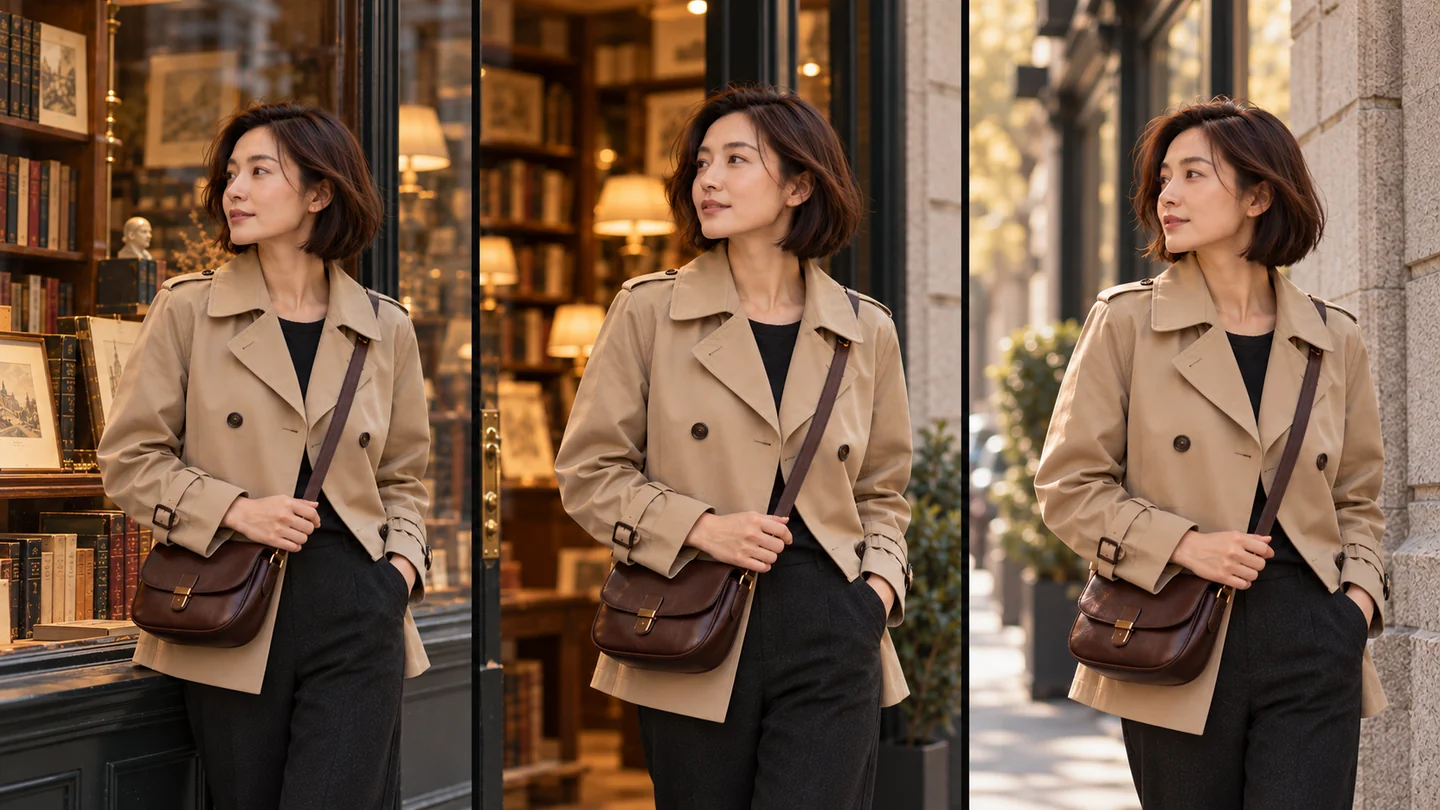
A character looks convincing in the opening shot, but has a different face in the next one. By the third shot, even the coat has changed. These shifts can make a connected story feel like unrelated clips.
Seedance character consistency starts by separating who the character is from what happens in each shot. Clear references and a stable appearance description establish the first; concise scene, action and camera instructions describe the second. This guide follows a fictional adult character through a three-shot plan. Images are creative illustrations, not tested Seedance outputs or a guarantee of results.
1. Check whether the character changed—or the lighting and styling did
Before regenerating a whole clip, pause neighboring shots where the face is clearly visible and compare specific details.
| Check | What to compare | What to adjust |
|---|---|---|
| Facial appearance | Face outline, eye and nose proportions, apparent age | Review references and character wording; simplify action |
| Hair and clothing | Hair part and length, collar, colors and accessories | Resolve conflicting references and descriptions |
| Build and props | Body proportions, bag and held objects | Include important props in the shot plan |
| Lighting and viewpoint | Backlight, close wide-angle views and profiles | Compare similar angles and lighting before deciding to regenerate |
Consistency does not require identical frames. A person naturally looks different from another angle or with another expression. The problem is a shift that makes viewers see a different person, or an unexplained change of styling.
2. Prepare a clear, internally consistent character reference pack
Choose references with a visible, unobstructed face and readable hair and clothing. Start with the smallest useful set. Add a profile or full-body view when that information is needed, keeping the same character and styling. There is no reference count that applies to every model.
Avoid mixing noticeably different faces, filters, makeup and apparent ages and expecting the model to choose the correct standard. A collage of several people is not a default character input. If the selected mode accepts multiple references, give each a clear purpose and use the reference assignment method actually provided by the interface.
Keep a character card beside the assets so each shot can reuse the same details:
Character: Lin, a fictional adult woman
Appearance: chin-length dark brown hair, natural makeup
Outfit: short beige trench coat, dark straight-leg trousers
Prop: dark brown crossbody bag, strap over her left shoulder
Keep in this sequence: hair, coat, bag and strap orientation
May change: location, gaze, hand action and camera distance
This is a creative planning record, not a hidden parameter. Confirm that you have the relevant rights to use reference images, character assets and resulting content. This example uses a fictional adult character.
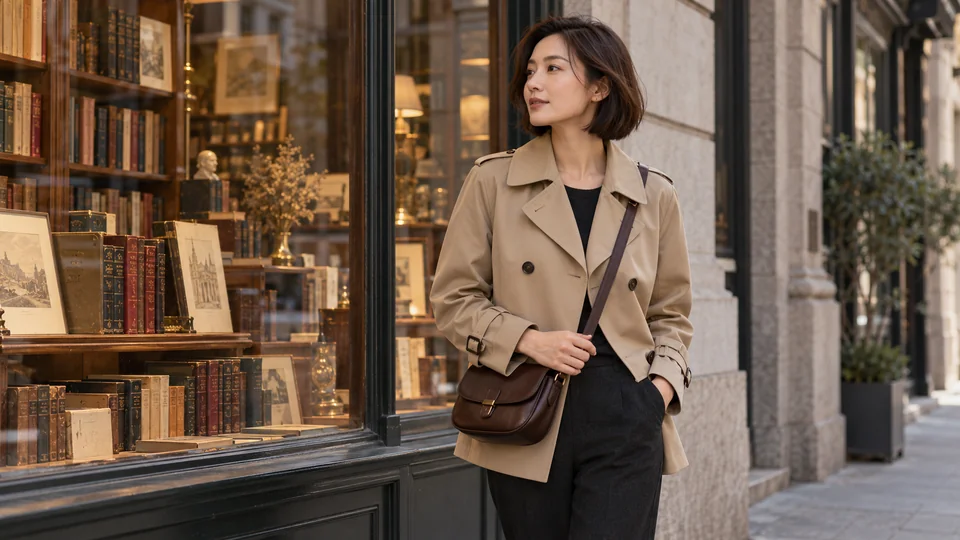
3. Begin with a simple action before changing the scene
After opening Seedance, check whether your selected model and input mode support the character reference you need. An image-to-video starting frame is not necessarily the same input as a separately assigned character reference. If an option is absent, do not copy button names or reference syntax from another version.
For the first attempt, use a medium shot and a small action such as looking up or turning slightly, keeping the face visible. Check appearance before adding walking, larger turns or scene changes. Combining a fast turn, face occlusion, a large camera move and several interacting people makes problems harder to isolate.
Change one main variable per iteration and record the reference, prompt and candidate. Keep suitable clips instead of rebuilding every shot because one other shot failed.
4. Separate fixed character details from the action in each shot
Reuse the same character description across prompts, replacing the location and action. When an image already establishes appearance clearly, use text to reinforce important continuity details rather than adding new facial descriptions that may conflict.
Character and styling: use the adult woman in the selected reference,
with chin-length dark brown hair, a short beige trench coat and dark trousers.
The dark brown crossbody bag strap passes over her left shoulder.
Scene and action: she stands beside a bookstore window, looks outside,
then slowly turns toward the right side of the frame.
Camera: stable medium shot, soft natural light, face remains visible.
Continuity: keep appearance, hair, outfit and bag strap orientation coherent.
She is the only main character in the frame.
“Keep consistent” is a creative instruction, not a guaranteed-result switch. If the input mode offers reference assignment, assign the reference first and use text to explain the action. Simply naming a character in a prompt does not automatically create a persistent identity.
5. Complete example: from a bookstore to a street corner

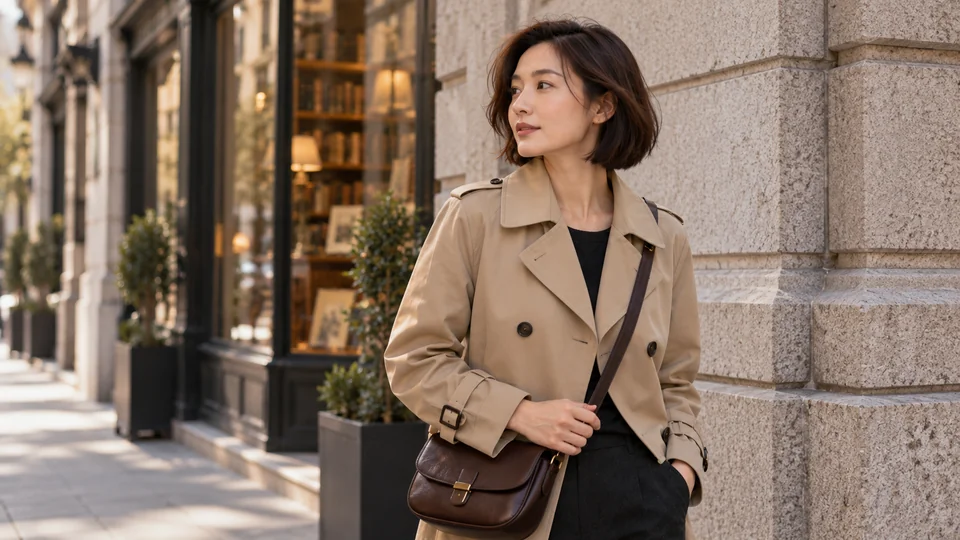
Planning three shots separately makes continuity requirements easier to inspect. This is a storyboard plan: it does not require one generation for the entire sequence or a fixed clip duration.
| Shot | Action and composition | Keep consistent | Review focus |
|---|---|---|---|
| A: bookstore window | Medium shot; character looks outside | Short hair, beige coat, strap over left shoulder | Establish a recognizable appearance baseline |
| B: bookstore doorway | Medium shot; character exits and stops | Reuse character card and matching reference | Check face outline, collar and bag after movement |
| C: street corner | Medium close-up; character turns back slightly | Same styling and corresponding props | Check recognition through the turn and at the end |
Use the previous section’s prompt for A. For B, keep the character paragraph and replace the action with: “She walks out of the bookstore doorway, stops and looks toward the street; stable medium shot, gentle movement.” For C, use: “She stops at the street corner and turns back slightly; medium close-up, keeping hair and the bag strap from covering her face.”
Compare clear frames from A, B and C side by side, then watch transitions through turns and occlusion. Do not judge only the thumbnails: appearance may shift halfway through an action. If B is unsuitable, simplify its action or viewpoint before deciding whether to add a reference. A and C can remain in the selection.
6. Handle two-person scenes and outfit changes deliberately
Give each character a distinct label and outfit, such as “Lin in the beige coat” and “Zhou in the navy jacket.” State their positions and individual actions. If the mode supports separate character reference assignment, check each assignment rather than leaving an undifferentiated collection of images to describe both people.
After characters approach, cross positions or briefly obscure one another, check for transferred facial features or clothing. If this occurs, reduce the interaction or generate separate reaction shots for editing.
For an outfit change, create a new styling record for the same character. Update clothing references and wording while retaining the identity reference. Do not combine an old coat image with instructions for a completely different outfit without explaining the change. Establish a time or location transition so the styling change also makes sense in the story.
7. Troubleshoot appearance drift one problem at a time
| Symptom | Check first | Next attempt |
|---|---|---|
| A different-looking person in shot two | Changed references or conflicting facial details | Return to consistent references and the same character paragraph |
| Face changes during a turn | Large turn angle, occlusion or complex action | Reduce the turn; add an appropriate angle reference if needed |
| Clothing or accessories change | Image and text disagree | Align styling and keep accessory requirements focused |
| Two characters share features | Unclear reference ownership, labels or positions | Assign references separately or use individual shots |
| Repeated revisions remain unstable | Action, cast and camera complexity increased together | Return to a simple action and add complexity gradually |
These are troubleshooting directions, not a certain diagnosis for every failed result. Watch the full revised clip. Editing can organize usable candidates, but it cannot reliably restore a changed facial structure to the intended character.
8. Review checklist before publishing
- Each shot matches its character reference and styling record.
- Face, hair, clothing, build and important props have no unexplained changes.
- Turns, walking, occlusion and clip endings have been checked.
- Two-person scenes have no obvious feature transfer or swapped clothing.
- The assembled sequence remains recognizable at normal playback speed.
- References, prompts and accepted candidates are saved for later episodes.
For broader image problems, use the video quality guide. For connected shots, see the first and last frame guide. Once clips are ready, follow the Seedance + CapCut workflow to assemble them. The prompt guide covers the foundations of describing a generation.
Frequently asked questions
Can Seedance guarantee the same face in every shot?
No. References, prompts and shot planning reduce ambiguity, but outputs still need review, especially during turns, occlusion and interactions between people.
Can I keep the same character using text alone?
You can try reusing the same character description, but text cannot precisely specify a face. Use suitable character images if the selected mode allows them; otherwise, account for the limits of text-only control.
Are more reference images always better?
No. Start with clear, consistent material and add images to supply missing information. Reference limits and assignment methods depend on the selected model, mode and interface.
Why does the face change even when I write “do not change the face”?
That sentence cannot resolve conflicting references or replace character assignment. Align references and styling first, then simplify action and camera changes and inspect where the shift occurs.
Can the character stay recognizable after an outfit change?
Plan it as a new look for the same character. Retain identity references, update outfit wording and relevant images, avoid conflicting old and new clothing details, and establish the change through the storyboard.
Can I copy these settings across Seedance 2.5 and other versions?
Reference organization, shot planning and output review are general methods. Check supported inputs, reference assignment and available settings in the version you select rather than assuming they are identical.
Start with one character, one outfit and a simple action
Establish a recognizable character before expanding the performance and setting. Save accepted references, the character card and selected clips so the next shot has a clear continuity baseline.