Build a setting: Establish a place, time and lighting, such as a street after rain, a room at dawn or an imagined station in the sky. Give the environment a clear starting point.
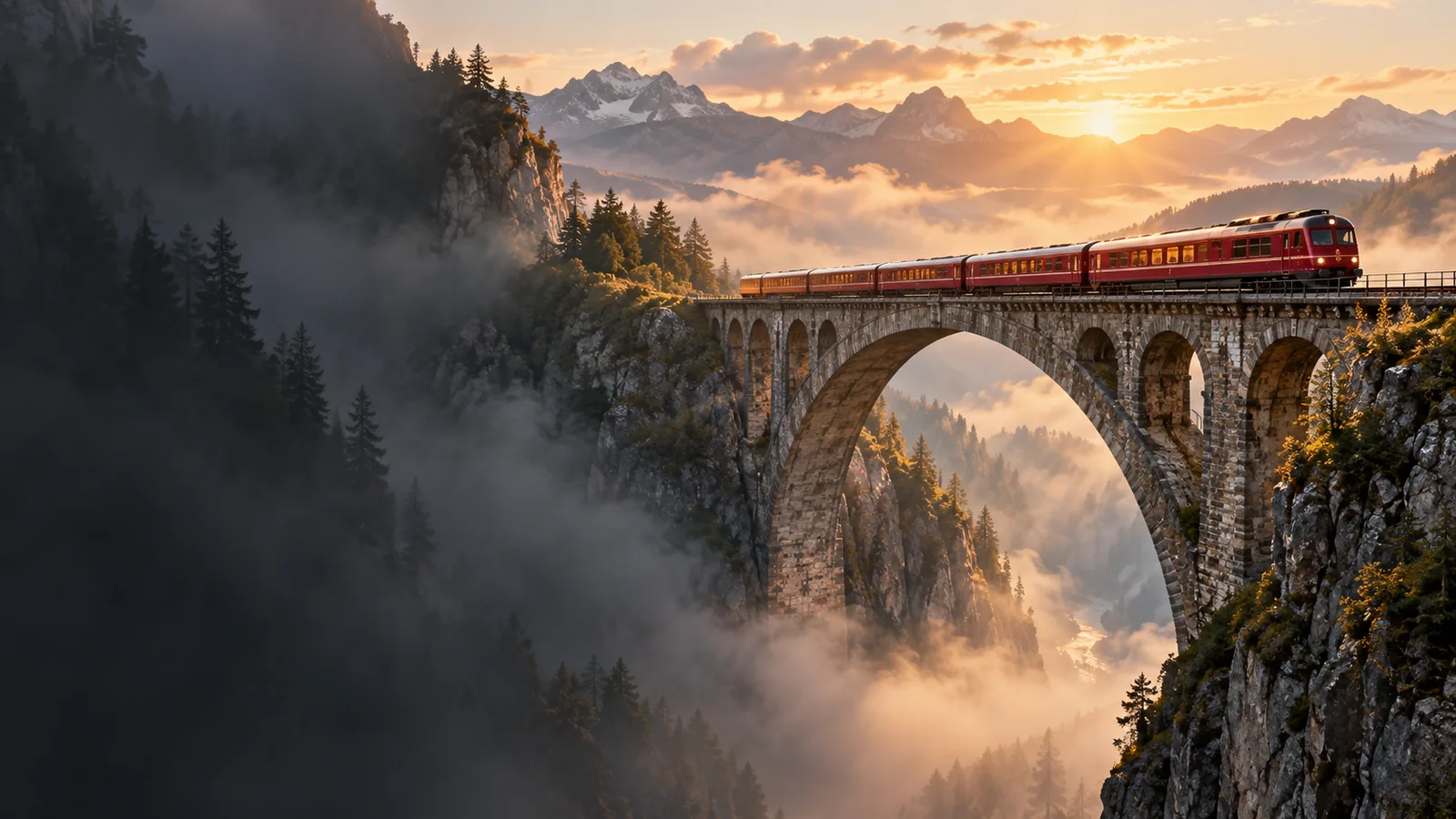
Seedance · Text to video
Seedance text to video. Turn words into scenes.
Start with an idea, even without a reference image. Describe your subject, setting and action, then use models including Seedance 2.5 to develop the scene you have in mind.
Give a simple idea a visual direction
Text to video is a way to explore scenes, actions and moods you have not filmed. Decide what this clip should show first, then add camera direction and light instead of trying to fit several stories into one attempt.
Describe an action: Ask the subject to do something observable: ride around a corner, look into the distance or place an object on a table. Establish the main action before adding more changes.
Explore a mood: Use framing, movement speed and color to express a feeling. A quiet close shot and an expansive wide shot can take the same idea in different directions.
Write a prompt you can picture
Name the subject: Choose a concrete object instead of an abstract label. “A white ceramic cup” expresses a clearer visual target than “a premium product.”
Explain what changes: Describe the main action and how it ends. If the subject remains still, steam, water or leaves can provide the movement.
Choose how the camera watches: Start with a locked camera, a slow push-in or steady tracking. Avoid asking for a stationary camera and a fast orbit in the same passage.
Make the setting support the scene: Add location, light and style, such as soft morning light from a nearby window. Keep those details useful to the subject rather than burying the action under adjectives.
A prompt gives creative direction rather than frame-by-frame control. Review the action, structures and transitions after generation. Add precise text, logos and information that must be accurate separately in post-production when needed.
From text to video in three steps
- Choose text input: Select Use Seedance, confirm the model and choose an available text-input workflow.
- Describe the scene and set the options: Write the subject, setting, main action and camera direction. Choose aspect ratio, duration and other settings from the options currently offered.
- Review, then change one priority: Check whether the main action works before reviewing subject structure, camera movement and the ending. Focus each revision on one issue so you can compare the change.
Two text-to-video ideas
The images and prompts below are starting points for creative planning. Images are labeled “Creative inspiration” and do not show generated video results. Adapt the subject, setting and action, then use the options available in your selected mode.
Idea one:create a quiet mood with a small change
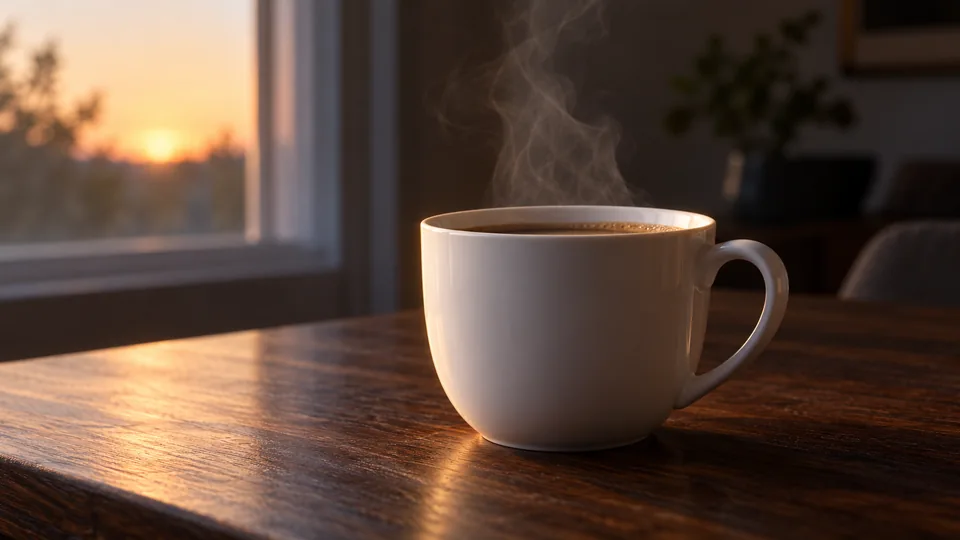
Scene: A white ceramic cup rests on a dark wooden table. Morning side light catches the rim against a simple background.
Motion goal: Keep the cup still while steam rises gently. Start with a locked camera to observe that one change.
Prompt:
A quiet interior in the morning. A white ceramic cup rests on a dark walnut table, with fine steam rising from its rim. Soft window light illuminates the ceramic surface from the side. The background is simple and slightly out of focus. Locked camera, medium close-up, natural realistic texture. Keep the cup and table stable as the steam rises slowly. Do not add hands, extra cups or on-screen text.What to check: Inspect the rim, the connection between handle and cup, the continuity of the steam and any unintended background movement. If too much changes, simplify the environment. If the scene is too still, specify where the steam should rise and how noticeable it should be.
Idea two:build camera rhythm around one action
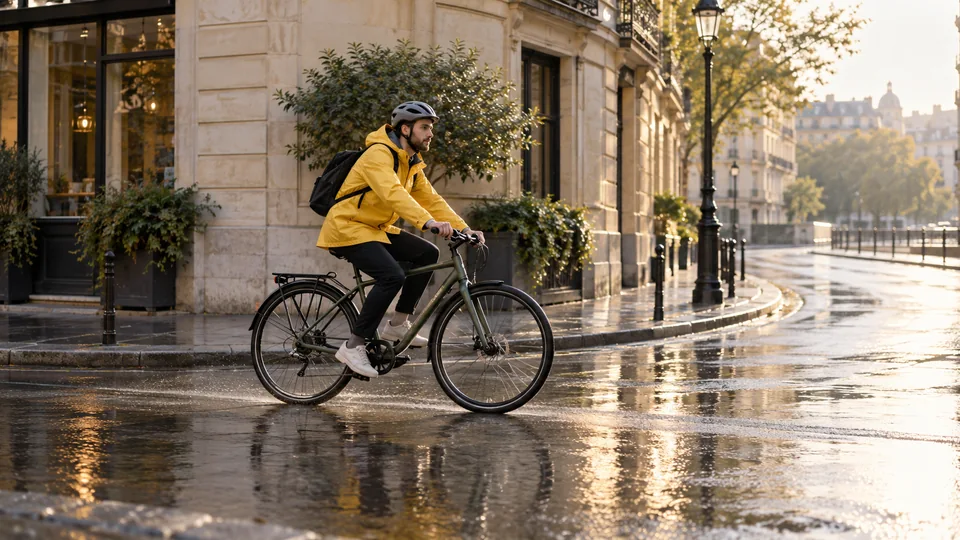
Scene: An adult cyclist wearing a yellow raincoat passes through a city street after rain. The wet road reflects soft ambient light.
Motion goal: Have the cyclist ride smoothly around one corner while the camera tracks from the side. Begin with one continuous action.
Prompt:
A city morning after rain. An adult cyclist in a yellow raincoat rides smoothly around a corner on a quiet street. The wet road reflects soft daylight, with simple buildings in the background. A steady side-tracking camera follows in a medium shot. Gentle cycling pace, realistic cinematic style. Keep the clothing and bicycle structure coherent. Avoid sudden scene changes, crowded traffic and readable sign text.What to check: Inspect the wheels, frame and limbs, the continuity of travel direction, and whether the camera suddenly accelerates or overtakes the subject. If the action becomes confused, simplify the route and camera movement. Avoid adding a turn of the body, an abrupt stop and complex traffic at the same time.
These examples specify no fixed duration. Establish one readable action first, then decide whether to expand it based on the available settings and the scene’s needs.
When to move from text to an image
Start with text when you are exploring a place, story or overall style. If you already have a specific portrait, product appearance or scene composition to follow, an image can provide a more concrete visual reference.
Reference images still do not guarantee identical details. Review character appearance, product structure and logos individually in the output.
Explore Seedance image to videoFrequently asked questions
Do I need to upload an image for Seedance text to video?
A text-input workflow does not require a reference image first. Choose the corresponding input method after opening the generator. If you switch to an image or another reference mode, add the materials that mode requires.
Does a prompt need to be long?
Do not add content just to increase its length. Start with the subject, setting, one main action and camera direction, then include details that matter. A longer prompt is not necessarily clearer when its instructions conflict.
Which duration and aspect ratio should I choose?
Choose from the current interface options according to the intended use. Validate a simple action before attempting more complex storytelling. Published model capabilities and the settings offered by a particular interface should be considered separately.
Can text alone reproduce a particular person or product accurately?
Text can describe appearance, but it cannot guarantee an exact face, package or logo. If you have a corresponding image, consider an image-input workflow and review the result manually.
What should I change when the result does not match the prompt?
Identify the clearest mismatch first. Describe the object more concretely if the subject is unclear, reduce events if the action is confused, or retain one camera move if the camera is unstable. Save your original prompt and settings and change one priority at a time. Repeated generations can still differ.
Write the next scene. Start creating.
Begin with one clear subject, one action and one camera direction. Use Seedance text to video to explore the idea, then refine the details as you review each result.
Use Seedance