
A product appearing on screen does not mean an ad has communicated its message. Viewers still need to understand what it is, which situation it belongs to and what to remember. Attractive lighting alone can create polished imagery without making the product clear.
To create an AI product ad with Seedance, choose one communication goal, prepare references, plan shots, generate and select clips, then add the slogan and action information. This guide uses an unbranded blue everyday bottle for a four-shot concept, from a desk scene to a final product composition. The example and images are creative plans, not a tested Seedance ad or evidence of a real product’s performance.
1. Write a creative brief with one communication task
The concept is “Take the everyday with you.” Show the bottle on a desk, its details and an adult picking it up before leaving. Carry the same product through everyday settings without using inversion, impact or temperature tests to imply unverified performance.
Start with a brief such as this:
Project: blue everyday bottle concept ad
Viewing context: people interested in how everyday objects fit into daily settings
Communication goal: the same bottle, from the desk to being picked up before leaving
Product reference: cobalt-blue cylindrical body, dark screw cap, simple unmarked appearance
Visual direction: natural side light, dark wood, warm grey background; blue as the recognition color
Shot order: desk introduction → cap and neck detail → adult pickup → product ending
Slogan: Take the everyday with you.
Action text: View Product (added in editing; replace with the real destination for an actual project)
Do not claim: unverified insulation time, leak resistance, impact resistance, capacity or material grade
This is a creative record, not a hidden model setting. For a real brand project, align the message with supportable product characteristics first. A blue product and a pickup scene do not establish insulation, leak resistance or other performance.
2. Organize product references into something you can check
Choose images that show body proportions, cap, neck connection and color clearly. Supply the relevant view when a shot needs a particular side or detail. Do not mix different models, caps or colors into one reference set.
| Element | Record for this example | Check before generating |
|---|---|---|
| Shape | Cylindrical body, dark screw cap, consistent body-to-cap proportions | Images show the same concept product |
| Color and surface | Cobalt-blue body with restrained soft reflections | Lighting changes are distinguished from a different color |
| Details | Cap edge, neck connection and base outline | Relevant details have a clear reference |
| Brand elements | No logo or printed packaging in this example | Actual projects use approved identity and text assets |
If the mode accepts product references, confirm how selection or assignment works. A starting image, separate reference image and video reference are not necessarily equivalent inputs. Limits and reference syntax depend on the selected model and interface.
Generated images can help explore composition, but they do not automatically become accurate documentation of a real item. Check real products against reliable assets. For uncertain structure, color or function shots, replace the candidate, adjust the plan or use appropriate product footage. See the Seedance image-to-video guide for input planning.
3. A four-shot storyboard that keeps the product central
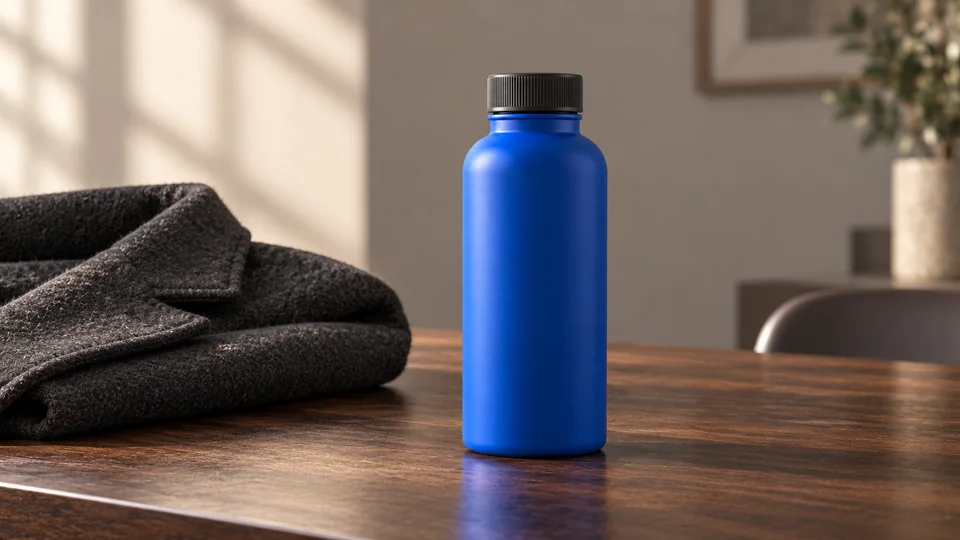
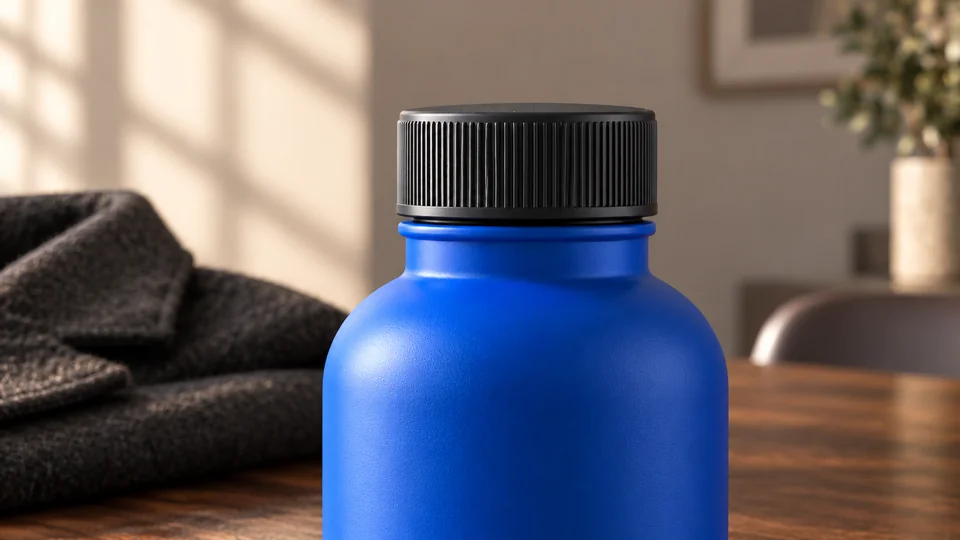
Assign each shot an information task, then choose length according to available settings and editing rhythm. Do not assume a fixed total duration or require one generation for the entire ad.
| Shot | Visual plan | What viewers learn | Main review point |
|---|---|---|---|
| A: desk introduction | Bottle on a naturally lit wooden desk beside a folded dark coat | Recognize the product in an everyday setting | Complete product; coat does not compete for attention |
| B: closer details | Close view of the same cap, neck and surface | Understand visible form and details | Stable proportions, no invented internal structure |
| C: pickup before leaving | An adult steadily lifts the bottle from the same desk | Connect product to a use moment | Natural hand, grip and bottle structure |
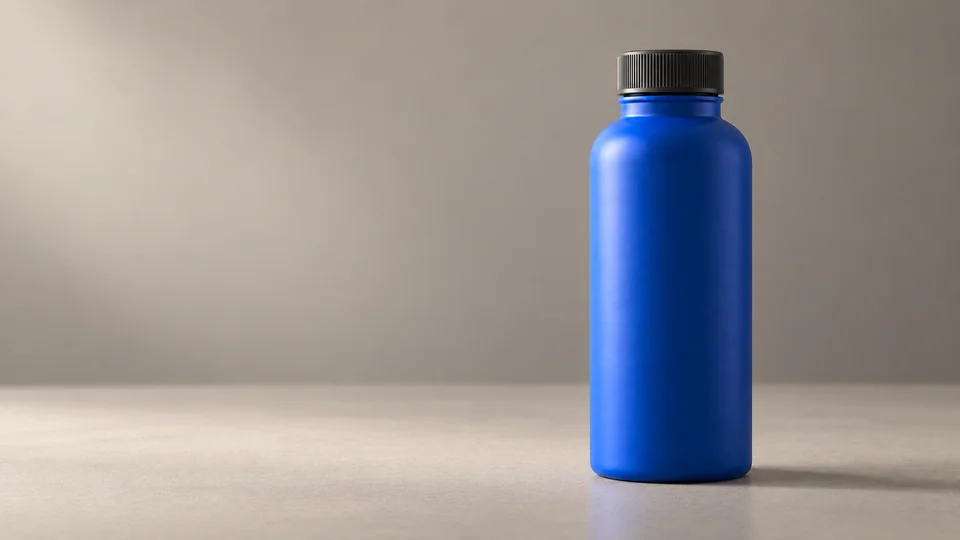
| D: product ending | Bottle against a clean warm grey background with space for text | Remember product, slogan and action information | Consistent appearance; text does not cover the subject |
The sequence moves from recognition to detail, context and recall. Adding splashes, flying objects, extreme temperatures or unrelated people is not necessary to make it richer. If a specific function needs demonstration, first establish the supporting facts and assets.
4. Four complete prompts: separate appearance, action and camera
These prompts form an original concept plan. Where the mode supports references, select them and explain their roles first. “Keep consistent” is a creative instruction, not a switch that guarantees unchanged product geometry.
Shot A: make the product clear first
An unbranded cobalt-blue everyday bottle rests on a dark wooden desk.
It has a cylindrical body and dark screw cap, following the selected product reference.
Soft natural side light, a folded dark coat nearby and a simple background.
Begin with a medium close-up showing the entire bottle and its relationship to the desk,
with the product near the center of the composition.
The camera approaches slowly a little; the bottle stays still.
Keep cap and base fully visible at the end.
Keep body proportions, cap shape, blue appearance and desk placement coherent.
No logos, text, numbers or extra accessories. Continuous single shot.
Check that the product is immediately recognizable and the approach does not crop the cap or base. The environment establishes context without becoming more prominent than the bottle. Dramatic effects are not a prerequisite for a coherent ad.
Shot B: detail imagery should describe what is visible
Close view of the cap and neck of the same cobalt-blue everyday bottle.
The dark screw cap remains closed.
Use the same product reference, natural side light and dark wooden desk setting.
Stable camera showing cap edge, neck connection and blue body surface clearly.
The bottle does not rotate or come apart. Keep body-to-cap proportions coherent.
Do not add transparent cutaways, internal components, performance numbers or packaging text.
Continuous single shot.
A cap close-up can communicate form and surface appearance, but does not establish sealing, insulation or material grade. A refined result with parts or seams absent from the reference should not simply be accepted as product detail.
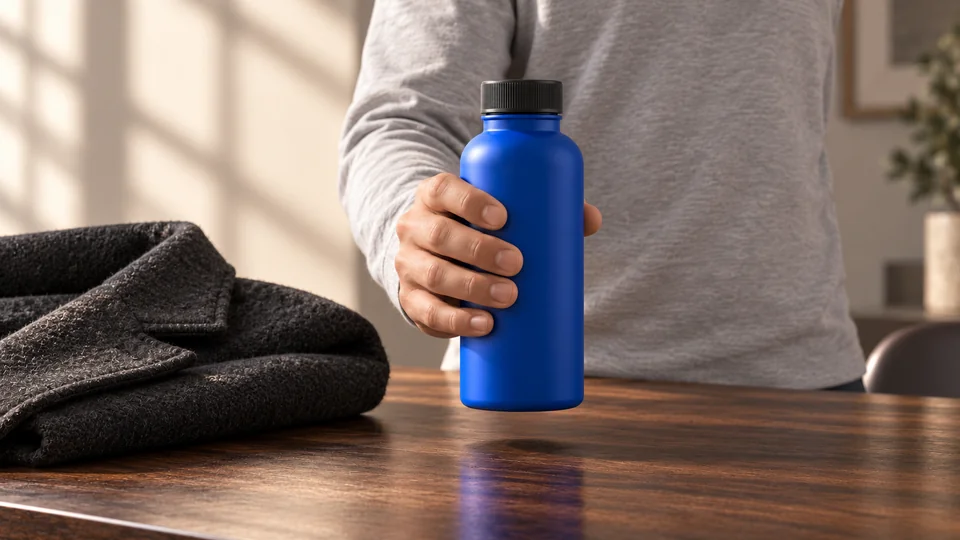
Shot C: keep the use action simple and reviewable
Same wooden desk and natural side light. A fictional adult in a light grey top stands beside it.
Show torso and arms only, with the face outside the frame.
The dark coat remains folded nearby.
The same cobalt-blue bottle stands on the desk with its dark screw cap closed.
One hand naturally grips the body and lifts it steadily, then pauses briefly.
Do not open, drink from or invert the bottle.
Stable medium shot retaining the relationship between hand, bottle and desk,
without a sudden camera change during the action.
Keep fingers, grip, bottle structure and color natural and coherent. Continuous single shot.
Check that the hand actually grips the body and the bottle does not stretch or change color as it leaves the desk. Simplify the movement or choose another candidate when the action is difficult. Do not hide hand problems behind a transition. The camera prompt guide provides further shot wording.
Shot D: leave room for the slogan and action information
The same unbranded cobalt-blue everyday bottle stands on a simple surface
against a clean warm grey background, with soft side lighting.
Preserve body proportions, dark screw cap, surface and color from the product reference.
Keep the entire bottle visible near the right side of frame.
Leave clean space on the left for a slogan and action information to be added in editing.
Stable camera, stationary product, no rotation, disassembly, splash or people.
Do not generate text, logos, numbers, buttons or interface elements. Continuous single shot.
An ending does not always need elaborate movement. Establish a clear silhouette and text area, then add consistent typography, identity and action wording in editing. Plan framing and text separately for a vertical version; cropping the sides of a horizontal shot may lose essential information.
5. Review product fidelity separately from the advertising message
Ask whether it is the same product and whether the shot fulfills its communication task. A and B may each look attractive, yet different cap details, neck connections or body proportions can make them appear to show two items.
Lighting can change perception and conceal color drift. Compare clear frames under similar illumination, then watch the complete clip for movement, reflections and occlusion. Where real-product accuracy matters, compare against reliable product documentation rather than accepting a resemblance alone.
Save accepted candidates with their references and prompts. If only the pickup shot is unsuitable, revise C first instead of restarting everything. Change one main variable per iteration, such as action, framing or reference, so the effect remains understandable.
6. Complete the slogan, logo, sound and editing
The example slogan is “Take the everyday with you.” The action text is “View Product.” Add both during editing rather than requesting exact text from the generated scene. Real brand projects should use approved wording, identity and the real destination, without adding functional claims unsupported by the footage and documentation.
| Step | Approach in this example | Review focus |
|---|---|---|
| Arrange shots | A, B, C, D; remove time that communicates nothing | Product introduction, detail, pickup and ending form a clear sequence |
| Add text and identity | Put slogan and action text in D’s empty space; no logo in this example | Readability without covering cap, body or important hand detail |
| Organize sound | Select ambience, music or a short narration according to the assets | Clear narration and no accidental audio gaps at cuts |
| Adapt format | Recheck composition and text for the publication position | Each aspect ratio is readable without losing important information |
| Save versions | Record references, prompts, editing project and export purpose | Identify whether the revision changed opening, slogan or something else |
Narration can simply read the slogan, or be omitted. Captions, voice and imagery do not all need to repeat the same explanation. Let music serve the product and pacing, and confirm the permitted use of assets from their actual sources.
Continue with the Seedance + CapCut workflow for selection, assembly and export; the Chinese edition uses Jianying. Exporting an aspect ratio does not mean all checks for the actual publication channel are complete.
7. Keep a clear baseline before making variations
Choose one version with suitable product fidelity and information order before changing the opening, end copy or pace. Record each variation instead of changing product color, background, narration and aspect ratio simultaneously.
For example, version A opens on the desk product, while version B opens on the pickup. Both retain accepted detail and ending shots. This compares information entry points; it does not claim either opening will necessarily produce more clicks or orders.
When a real brand project needs precise product detail, identity or use demonstrations, combine suitable filmed assets with generated concept shots. Choose according to whether the content is represented accurately, not a requirement to make every shot with one method.
8. Review checklist before publishing
- Viewers can identify the product and understand the video’s main idea.
- Body, cap, color and important details remain consistent between shots.
- Pickup, hands, bottle and surroundings have no obvious deformation or continuity errors.
- Slogan, identity and action information are accurate and readable, with the correct destination.
- Concept imagery does not stand in for unverified functions, effects or testing evidence.
- Format, sound, asset use and channel requirements have been checked for the actual publication.
Use the video quality guide for blur, flicker or structural changes. Fix problems that affect product recognition and understanding before adding shots or effects.
Frequently asked questions
Can a Seedance product ad be published immediately?
First check product accuracy, text and identity, source assets and publication requirements. Generating and exporting a video does not complete these checks. Confirm the applicable conditions for the services and materials used in the project.
Does a product ad need an on-screen person?
No. Product, detail, setting and ending shots can form a complete message. This example shows an adult’s torso and arms only in the pickup shot to connect the product to a use moment.
Should the logo and slogan be generated directly?
Use approved assets for precise identity and text during editing. Prepare clear product imagery and room for the layout first, rather than treating uncertain generated lettering or symbols as final brand assets.
What if the footage looks attractive but differs from the real product?
Review references and candidates, then adjust or remake the relevant shot. Incorrect form, details or use should not be accepted as a real-product demonstration just because it looks polished. Use suitable filmed assets when necessary.
Can a horizontal ad simply be cropped into a vertical version?
It can be a starting point for review, but is not guaranteed to work. Product, hands, slogan and action information may be lost. Plan composition and text positions separately where needed.
Can Seedance 2.5 and other versions use identical advertising settings?
The brief, storyboard and review methods can be reused. Confirm input modes, reference assignment, audio and duration settings in the selected version rather than assuming they are identical.
Make the product and its message memorable together
Begin with one clear communication goal and give each shot its own task. Complete a version with accurate product imagery and coherent information before expanding openings, formats and settings.